
• Getting Started
    • Signing In
    • Site List
    • Interface Selection
  • Editing Basics
    • Adding Search Boxes
    • Adding a Link
    • Headers and Footers
    • Previewing Changes
    • Viewing Live Site
    • Publishing Changes
    • Adding Social Media
      • Social Media Company Page Button Properties
    • Themes (v4)
      • Customizing Theme Presets
    • Theme, Color Palettes & Buttons (v3)
      • Adding A Logo To Your Menu
      • Adding a Background
      • Changing Default Button Text
  • Images and Files
    • Adding A Background to a Text Block
    • Adding a Photo Gallery
    • Linking to an Image or File
    • Uploading Images and Files
    • Adding an Image to a Page
    • Slideshows
    • Embedding a Video from YouTube
    • Card Component
  • Page Management
    • Spotlight Pages
    • Page Visibility
    • Reordering the Menu
    • Adding a Page
      • Adding A Page - Ideas and Video Walkthroughs
      • Model Pages
      • Supplier Highlights
    • Deleting a Page
    • Editing A Page
      • Adding Notes to a Page
    • Reporting
    • Page Layout
      • Moving Blocks
      • Rows
    • Form Creator
    • Testimonials
    • Agent DNA
    • Destination Pages
    • Destinations
      • Destination Search
    • Blog
  • Travel Content
    • FInding Offer IDs
    • Target Searches
    • Offer Groups
      • Offer Group Displays
    • Offer Detail Page
    • Adjusting Supplier Preferences
  • Lead Management
    • Email Subscription Contact Information
    • Creating Agent Accounts
    • Newsletter Signup
  • Consent Tools
    • CCPA
    • GDPR
    • Compliance Reports
  • SEO Help
  • Commissionable Partners
    • Supplier Booking Integration
    • Additional Revenue Opportunities
  • Getting Started
    • Signing In
    • Site List
    • Interface Selection
  • Editing Basics
    • Adding Search Boxes
    • Adding a Link
    • Headers and Footers
    • Previewing Changes
    • Viewing Live Site
    • Publishing Changes
    • Adding Social Media
      • Social Media Company Page Button Properties
    • Themes (v4)
      • Customizing Theme Presets
    • Theme, Color Palettes & Buttons (v3)
      • Adding A Logo To Your Menu
      • Adding a Background
      • Changing Default Button Text
  • Images and Files
    • Adding A Background to a Text Block
    • Adding a Photo Gallery
    • Linking to an Image or File
    • Uploading Images and Files
    • Adding an Image to a Page
    • Slideshows
    • Embedding a Video from YouTube
    • Card Component
  • Page Management
    • Spotlight Pages
    • Page Visibility
    • Reordering the Menu
    • Adding a Page
      • Adding A Page - Ideas and Video Walkthroughs
      • Model Pages
      • Supplier Highlights
    • Deleting a Page
    • Editing A Page
      • Adding Notes to a Page
    • Reporting
    • Page Layout
      • Moving Blocks
      • Rows
    • Form Creator
    • Testimonials
    • Agent DNA
    • Destination Pages
    • Destinations
      • Destination Search
    • Blog
  • Travel Content
    • FInding Offer IDs
    • Target Searches
    • Offer Groups
      • Offer Group Displays
    • Offer Detail Page
    • Adjusting Supplier Preferences
  • Lead Management
    • Email Subscription Contact Information
    • Creating Agent Accounts
    • Newsletter Signup
  • Consent Tools
    • CCPA
    • GDPR
    • Compliance Reports
  • SEO Help
  • Commissionable Partners
    • Supplier Booking Integration
    • Additional Revenue Opportunities
  • Getting Started
    • Signing In
    • Site List
    • Interface Selection
  • Editing Basics
    • Adding Search Boxes
    • Adding a Link
    • Headers and Footers
    • Previewing Changes
    • Viewing Live Site
    • Publishing Changes
    • Adding Social Media
      • Social Media Company Page Button Properties
    • Themes (v4)
      • Customizing Theme Presets
    • Theme, Color Palettes & Buttons (v3)
      • Adding A Logo To Your Menu
      • Adding a Background
      • Changing Default Button Text
  • Images and Files
    • Adding A Background to a Text Block
    • Adding a Photo Gallery
    • Linking to an Image or File
    • Uploading Images and Files
    • Adding an Image to a Page
    • Slideshows
    • Embedding a Video from YouTube
    • Card Component
  • Page Management
    • Spotlight Pages
    • Page Visibility
    • Reordering the Menu
    • Adding a Page
      • Adding A Page - Ideas and Video Walkthroughs
      • Model Pages
      • Supplier Highlights
    • Deleting a Page
    • Editing A Page
      • Adding Notes to a Page
    • Reporting
    • Page Layout
      • Moving Blocks
      • Rows
    • Form Creator
    • Testimonials
    • Agent DNA
    • Destination Pages
    • Destinations
      • Destination Search
    • Blog
  • Travel Content
    • FInding Offer IDs
    • Target Searches
    • Offer Groups
      • Offer Group Displays
    • Offer Detail Page
    • Adjusting Supplier Preferences
  • Lead Management
    • Email Subscription Contact Information
    • Creating Agent Accounts
    • Newsletter Signup
  • Consent Tools
    • CCPA
    • GDPR
    • Compliance Reports
  • SEO Help
  • Commissionable Partners
    • Supplier Booking Integration
    • Additional Revenue Opportunities

Lalibela

Slideshow Placeholder
 Photo Credit: Image by Heiss from Pixabay
Photo Credit: Image by Heiss from Pixabay
 Photo Credit: Image by Heiss from Pixabay
 Photo Credit: Photo by mulugeta wolde on Unsplash
Photo Credit: Photo by mulugeta wolde on Unsplash
 Photo Credit: Photo by mulugeta wolde on Unsplash
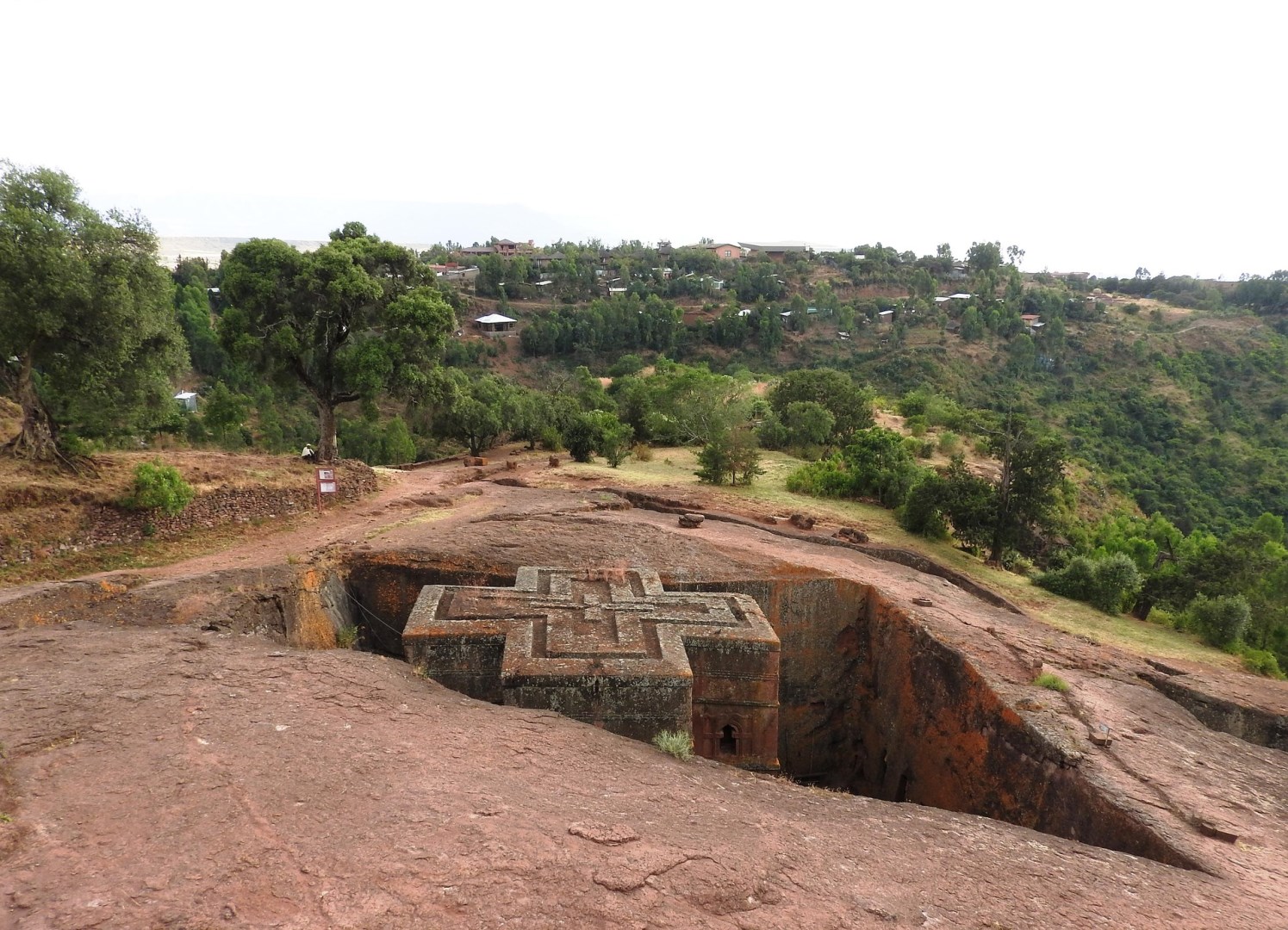
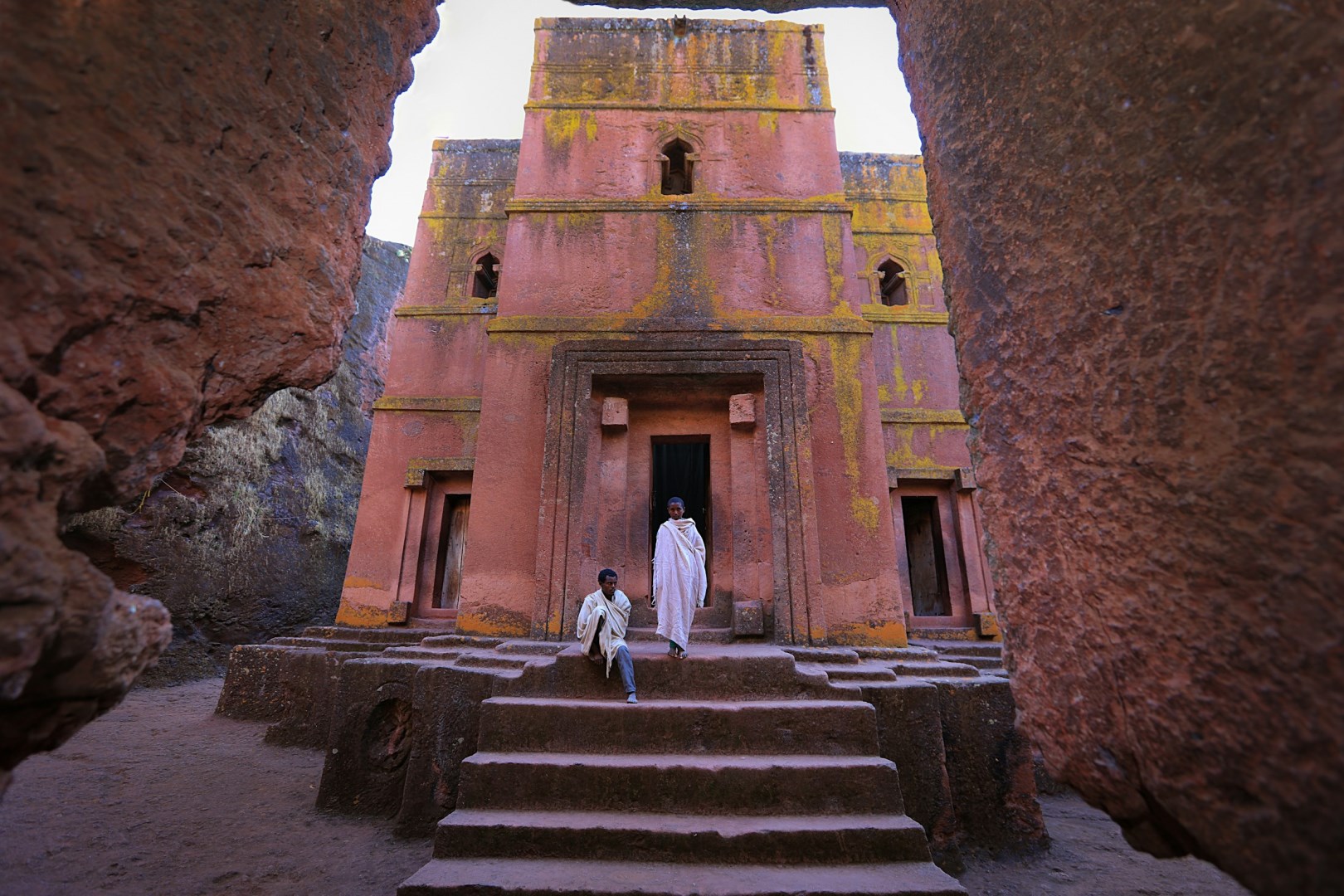
Lalibela is the name of the township which King Lalibela, later canonized, ruled in the 12th century. At his command, eleven monolithic churches were hewn out of living rock. The churches are unique because they are not carved into rock but were freed from it entirely. A large area was chosen for the construction, trenches cut around it and the remaining solid block of rock then cut inside. The churches, many of them connected from tunnels, stand on either side of a river which the villagers of Lalibela call Jordan.
Placeholder


Placeholder


NexCite Help
Phone: 503-626-7766 Option 2 - Email: support@vacationport.com